








Download the program with the following download link
| LANGUAGE | 64 BITS | 32 BITS |
| DEUTSCH | Herunterladen | Herunterladen |
| ENGLISH | Download | Download |
| FRANÇAIS | Télécharger | Télécharger |
| ITALIANO | Scarica | Scarica |
| ESPAÑOL | Descargar | Descargar |
| PORTUGUES | Descarga | Descarga |
PLEASE NOTE: To ensure a successful installation of the lifetime version of Office, we recommend that you uninstall any previously installed versions of Office on your computer, including Office 365, as it may cause conflicts during installation.
1- Installation process:
Once the download is complete, follow these steps:
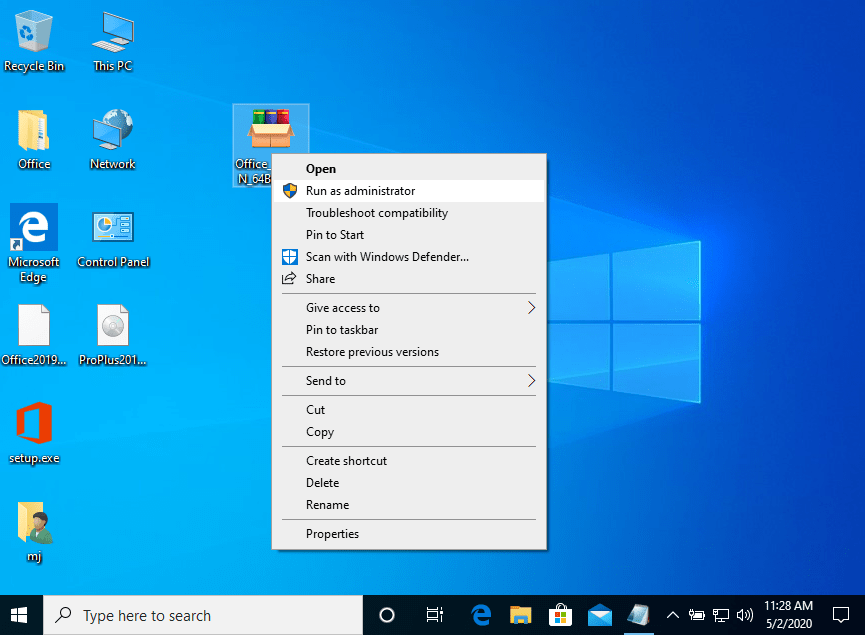
- Right Click on the file and then select the option, “Run as administrator”
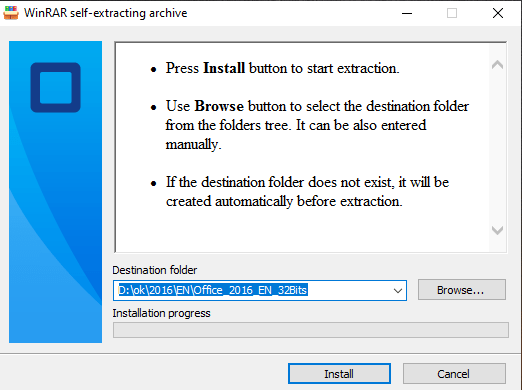
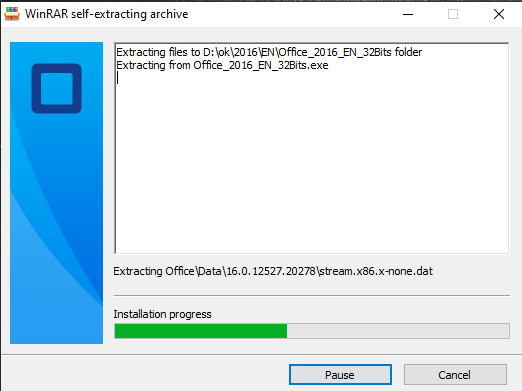
2. Click on the “Install” button. This action unzips the application and will install your product.
2.1- Software activation (Option 1):
Once the download is complete and the installation of the program is complete, enter the activation key when running any application from the Microsoft Office package, it will be the first thing that will ask you.
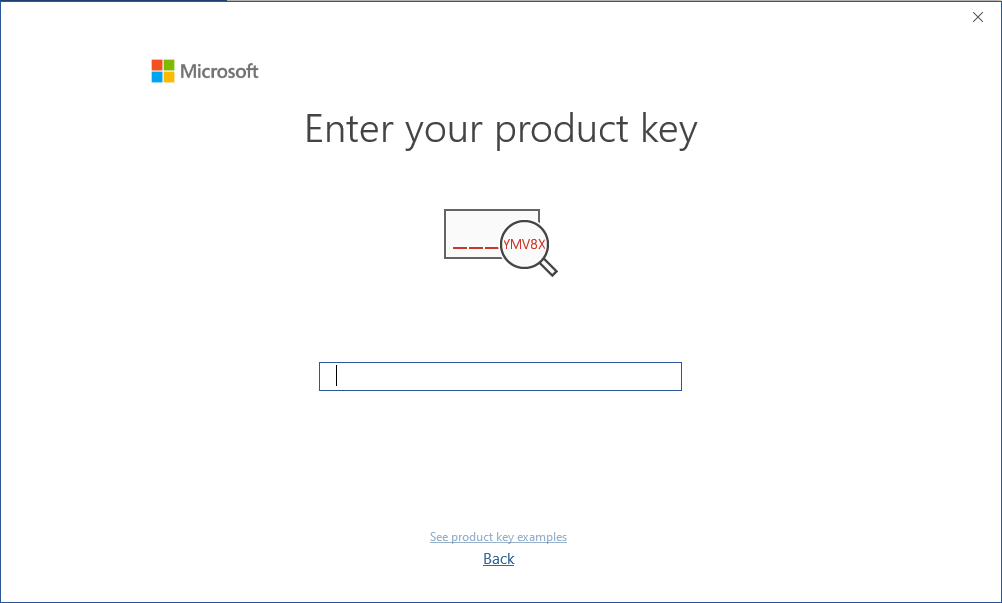
During the installation of Microsoft Office, you should have been prompted to enter the product key we sent you. If this did not happen, please open Word, click on “File,” then “Account,” and enter the provided key there.
If you don’t do this, your purchased Microsoft Office will turn into a trial version after 30 days.
2.2- Software activation (Option 2):
Activation by Phone Offline
The process of activating Office via telephone is simple, involving a few steps:
Step 1: Open any Microsoft Office application on your system and click on the “Account” tab in the left sidebar.
Step 2: In the account window, locate the “Activate Product” ou “Change product” button at the center of the screen and click on it.
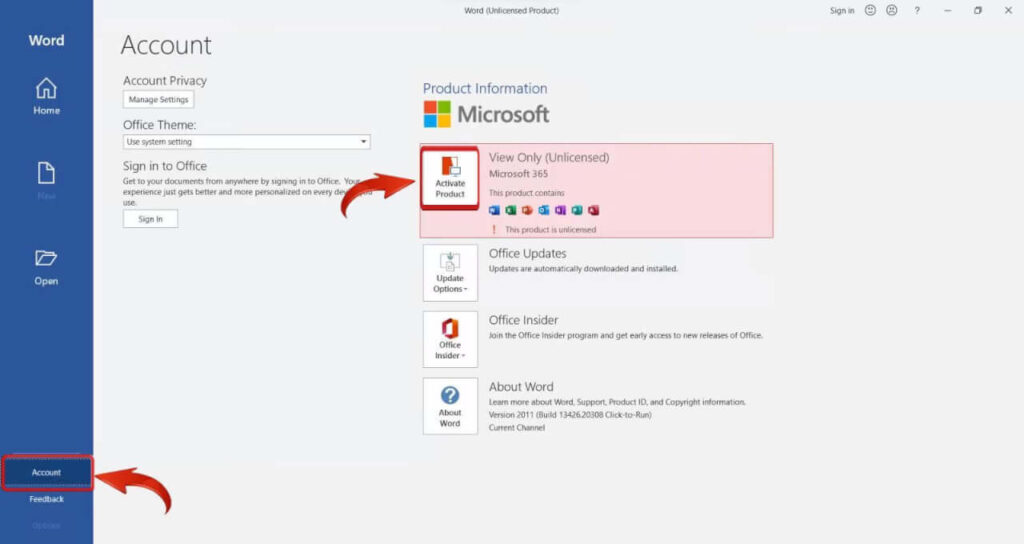
Microsoft Office 2016 Activate Product
Step 3: Click on the “I don’t want to sign in or create an account” link at the bottom of the dialog box.
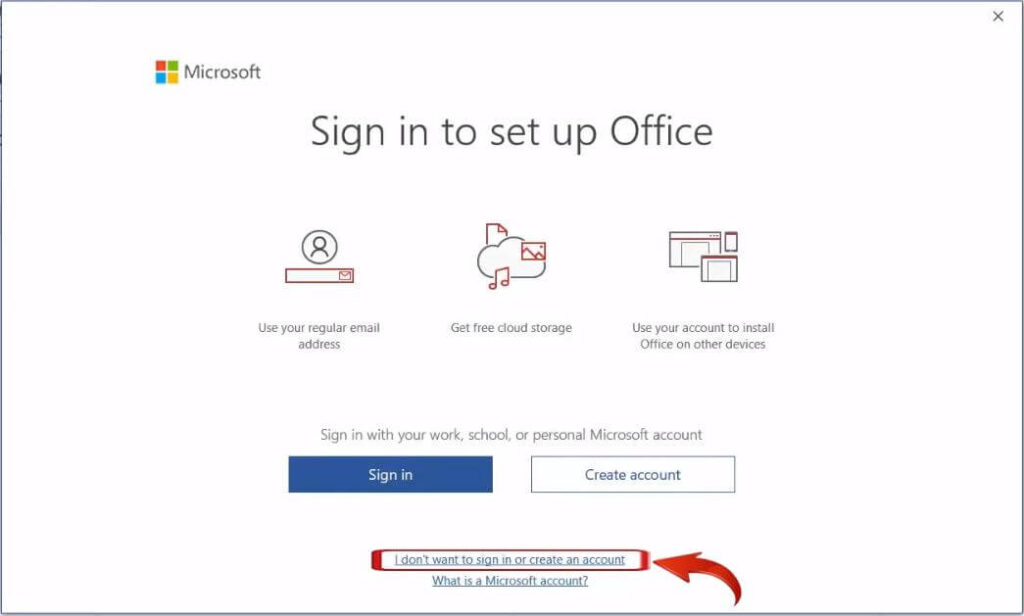
Microsoft set up Office dialog
Step 4: Insert your product key in the field at the center of the screen.
Step 5: Upon entering, the “Activate” button will appear; click on it.
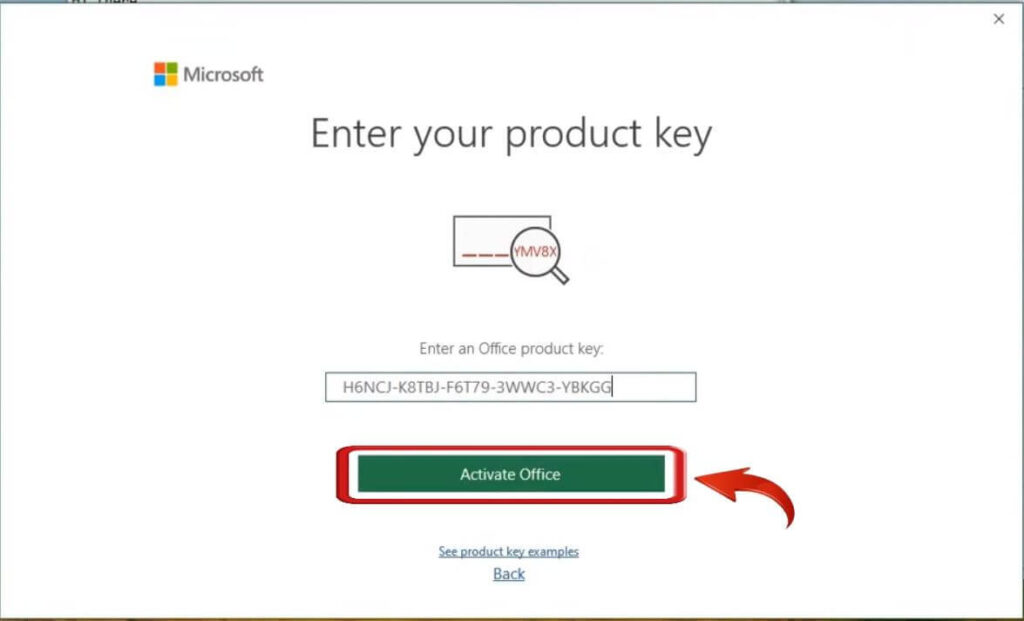
Microsoft Office Activate Office
Step 6: The Microsoft Office Activation wizard will pop up; select “I want to activate the software by telephone” and click on “Next”.
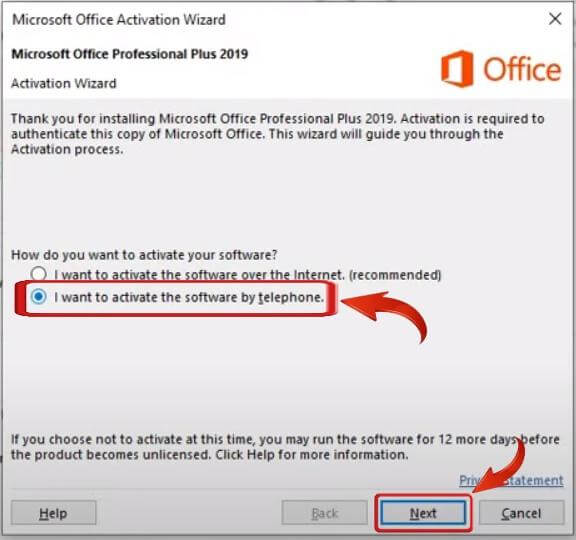
Microsoft Office activate by telephone
Step 7: In the next window, choose your region in “Step 1” and find your Installation ID (IID). Copy the IID as you’ll need it in the next step.
Microsoft Office select region
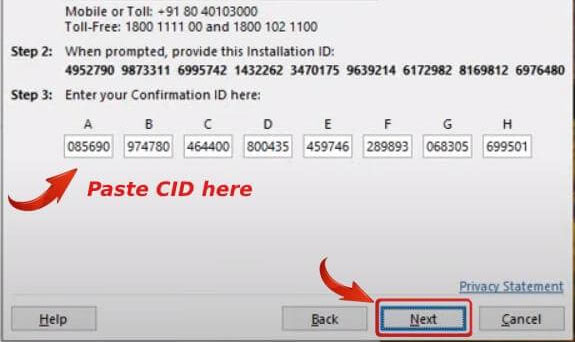
Step 8: Use the toll-free number provided beneath your region, provide your IID when asked, and you’ll receive a Confirmation ID.
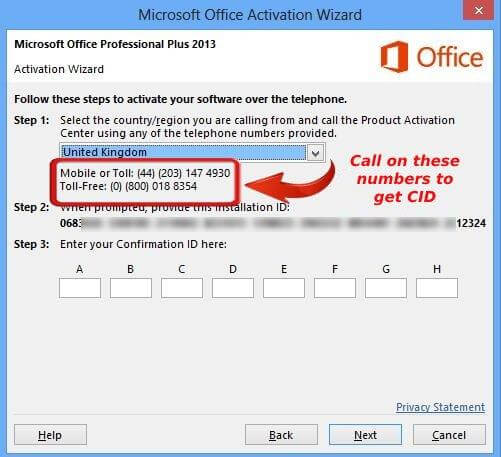
Step 10: After entering your Confirmations ID, click on “Next”, and your Microsoft Office copy will be activated. Click on Close and restart Microsoft Office.