











Our customers say Excellent 4.5 out of 5 en based on
Excellent 4.5 on

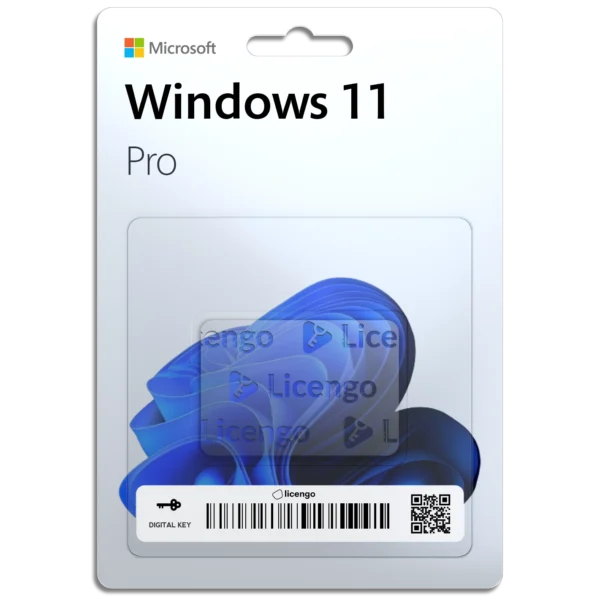
Windows 11 Professional – Digital License

(9 customer reviews)

Original price was: £69.99.Current price is: £14.24.

17 People watching this product now!

We are a certified Microsoft Partners

Digital license key delivered via email, including a step-by-step guide & download link.

Unlock the full potential of your PC with the Windows 11 Pro Key. Perfect for upgrading from Windows 11 Home or installing on a new system.

 Online activation
 Lifetime license for 1 PC.
 25-Character activation code.
 License linked to your Microsoft account.
 You can reuse it on the same PC.
 Instant delivery by email.
 All languages compatible.

Original price was: £69.99.Current price is: £14.24.

11 People watching this product now!

Windows 11 Professional – Digital License

(9 customer reviews)
McAfee Total Protection
McAfee Total Protection 2025 (1 Year/1 Device) Original price was: £27.90.Current price is: £16.90.
Back to products
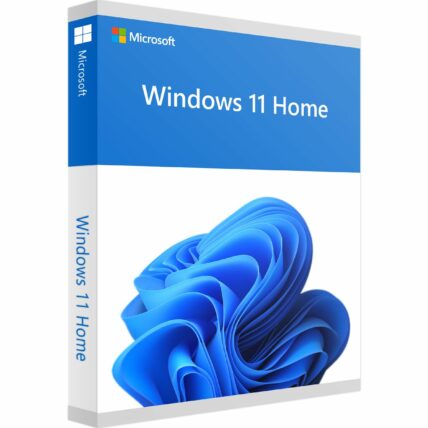
Windows 11 Home Retail
Windows 11 Home - Digital License Original price was: £69.99.Current price is: £11.99.

Original price was: £69.99.Current price is: £14.24.

We are a certified Microsoft Partners

Digital license key delivered via email, including a step-by-step guide & download link.
14 People watching this product now!

Unlock the full potential of your PC with the Windows 11 Pro Key. Perfect for upgrading from Windows 11 Home or installing on a new system.

 Online activation
 Lifetime license for 1 PC.
 25-Character activation code.
 License linked to your Microsoft account.
 You can reuse it on the same PC.
 Instant delivery by email.
 All languages compatible.

Duration

Lifetime

Devices

1 PC

Activation

Online

Warranty

1 year

Brand

Microsoft

SKU: 7715362594 Categories: ,

Reviews

Real reviews from verified buyers to help you make the best choice.

Description

Maximize your PC’s efficiency with the Windows 11 Pro key. This cutting-edge operating system features a visually stunning interface and robust security measures, ensuring both beauty and safety in your digital world. Seamlessly compatible with Microsoft Office 2021 Pro Plus, it’s the ideal platform for productivity and creativity. 

Benefits of Windows 11 Pro Licence Key

Our Windows 11 Pro product key provides comprehensive functionality and all the benefits of this advanced operating system:

  • Full and unrestricted version
  • No limit on the duration of use
  • Permanently linked to your computer
  • Reinstall as often as needed on the same device
  • Includes 64-bit and 32-bit versions

Windows 11 Versions Comparison

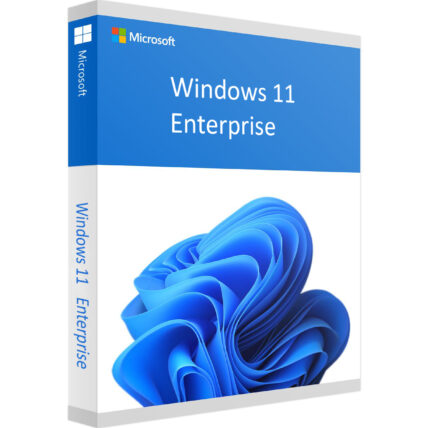
Feature Win 11 Home Win 11 Pro Win 11 Enterprise
Max RAM Support 128 GB 2 TB 6 TB
Max CPU Cores 64 128 128
BitLocker Encryption No Yes Yes
Remote Desktop No Yes Yes
Windows Update for Business No Yes Yes (Enhanced)
Azure Active Directory No Yes Yes
Group Policy Management No Yes Yes
Hyper-V Virtualization No Yes Yes
Windows Sandbox No Yes Yes

Perfect for Home and Business Use

Everything you’d expect from an operating system and more!

Windows 11 Pro is tailored for both home and business use, providing numerous advantages over the home edition. It caters to a wide range of users, enhancing productivity and security across different environments.

Key features include:

Enhanced Security: Enjoy robust security features such as BitLocker Device Encryption, Windows Defender Application Guard (WDAG), and Windows Information Protection (WIP).

Expanded Functionality: Benefit from Azure Active Directory support, Hyper-V Virtualization, Windows Sandbox, and extended remote desktop capabilities.

Windows 11 Pro offers innovations aimed at enhancing both productivity and enjoyment!

For gamers, Windows 11 Pro integrates features to elevate the gaming experience:

Hardware requirements
Duration

Lifetime

Devices

1 PC

Activation

Online

Warranty

1 year

Processor

1 GHz or faster

Memory

4 GB RAM

Hard Disk

64 GB of available disk space

Graphics Hardware

DirectX 12 or later

Brand

Microsoft

Reviews (9)
5
9 reviews
9
0
0
0
0

9 reviews for Windows 11 Professional – Digital License

Clear filters
  1. Spanish

    Lucía (verified owner)

    Licengo siempre cumple, muy satisfecho con la compra.

    • Spanish

      Store manager admin

      Gracias por la increíble reseña. Licengo está emocionado de seguir cumpliendo con tus expectativas.

  2. Spanish

    Andrés (verified owner)

    Servicio rápido y confiable, muy recomendable.

    • Spanish

      Store manager admin

      ¡Tu reseña positiva es un gran impulso para el equipo de Licengo! Gracias por elegirnos.

  3. French

    Alain (verified owner)

    Très content, tout fonctionne parfaitement.

    • French

      Store manager admin

      Nous sommes ravis que vous ayez eu une excellente expérience ! Licengo apprécie votre soutien et vos aimables paroles.

Show only reviews in English (1)

Add a review

Your email address will not be published. Required fields are marked *

FAQs

Frequently Asked Questions

What are the key features of Windows 11 Pro?

BitLocker encryption for enhanced security Remote Desktop for connecting to other computers Windows Sandbox for running potentially harmful software in a safe environment Group Policy Management for IT administration Support for Hyper-V virtualization Assigned Access to restrict users to specific apps

How does Windows 11 Pro differ from Windows 11 Home?

Windows 11 Pro includes more advanced features tailored for professionals and businesses, such as BitLocker encryption, Remote Desktop, and group policy settings. In contrast, Windows 11 Home is designed for personal use with a focus on simplicity and consumer-oriented features.

Can I upgrade from Windows 11 Home to Windows 11 Pro?

No, you can’t upgrade from Windows 11 Home to Windows 11 Pro. You’ll need to do a clean Windows 11 Pro install to use this product key.

Is Windows 11 Pro compatible with my device?

Windows 11 Pro requires compatible hardware such as a 64-bit processor, 4GB of RAM, and 64GB of storage. You can check your device’s compatibility using Microsoft’s PC Health Check tool.

How do I activate Windows 11 Pro?

To activate Windows 11 Pro, you can enter a valid product key during the installation or activation process.

What are the system requirements for Windows 11 Pro?

A compatible 64-bit processor (1 GHz or faster, with at least 2 cores) 4 GB of RAM or more 64 GB of storage or more UEFI firmware with Secure Boot capability TPM version 2.0 DirectX 12 compatible graphics

Can I use Windows 11 Pro for gaming?

Yes, Windows 11 Pro is fully capable of running games, and it includes gaming features like DirectStorage and Auto HDR, which improve load times and visual quality.

Does Windows 11 Pro support virtual machines?

Yes, Windows 11 Pro supports Hyper-V, which allows you to create and manage virtual machines for testing, development, and other professional uses.

How do I install Windows 11 Pro?

To install Windows 11 Pro, you can either upgrade from a previous version or download the installation media from Microsoft’s official website. You will need a valid product key during installation if you’re upgrading or doing a fresh install.

Installation Guide

The official release of Windows 11 took place on October 5, 2021. If you’re eager to switch to the new operating system, we’ve prepared a guide to help you download, install, and activate Windows 11.

In general, the installation process for Windows 11 Pro is intuitive, with most instructions being self-explanatory. Users are usually advised to leave the default settings. The installation can take a few minutes, thanks to the simplified Windows installation programs that guide you step-by-step through the process using the Media Creation Tool or a manual upgrade.

Preparation Before Installation

Before you begin, we suggest that you download the PC Health Check app to check your computers compatibility for Windows 11: https://aka.ms/GetPCHealthCheckApp

Or ensure your system meets the hardware requirements. Windows 11 requires TPM 1.2 (preferably version 2.0) and Secure Boot mode due to security reasons. Not all components are compatible with Microsoft’s new operating system, so it’s essential to check if your configuration meets these requirements.

  • Verify that your motherboard is supported by Windows 11.
  • Check processor compatibility with Windows 11.
  • Ensure your computer meets the requirements in Windows Update (Settings > Updates and Security).

To upgrade, you need to have Windows 10 version 2004 or later.

Option 1: Performing a Clean Installation of Windows 11 Pro

This method is recommended if you’re using an older Windows version or a PC without an operating system.

  1. Download the Windows Media Creation Tool directly from Microsoft:
    https://go.microsoft.com/fwlink/?linkid=2156295

    Windows 11 Media Creation Tool allows you to create installation media quickly and easily. You can upgrade your current system, create a DVD or USB stick with the installer, and it’s all automated and straightforward.

  2. Run the Media Creation Tool
    • Create installation media for another PC.
    • Select preferred language and edition: Windows 11 (includes both Pro and Home).
    • Select the architecture (64-bit or 32-bit).
    • Select the media type: USB flash drive or ISO file to create a DVD.
  3. Perform a Clean Installation
    • Boot from the USB flash drive or DVD.
    • Select your language, time, and keyboard preferences.
    • Enter the product key provided by us.
    • Choose installation type: Custom: Install Windows only (advanced).
    • Remove all partitions and create a new one to install Windows.
    • Proceed with the installation.

Option 2: Upgrading from Windows 11 Home to Pro

If you’re currently using Windows 11 Home and want to upgrade to Pro, follow these steps:

  1. Press the “Windows key” + “R”, type “slui.exe”, and hit “Enter”.
  2. Enter your Windows 11 Pro product key. If it’s not accepted, apply the default product key: “VK7JG-NPHTM-C97JM-9MPGT-3V66T”.
  3. If error code “0x800f0805” appears, ensure you have at least 20 GB of free disk space and that Windows is updated to its latest version. If these conditions are met and the error persists, a clean installation is necessary (see Option 1).
  4. Go to “System” > “About” > “Change product key” (Click “Yes” if User Account Control comes up).
  5. Enter your Windows 11 Pro product key, close all open applications, save your work, and start the upgrade. Your computer will restart several times during the upgrade, which usually takes 5 to 10 minutes.

Finally, configure your Windows 11 Pro system by setting up diagnostic data and privacy settings according to your preferences. Don’t worry—you can always change these settings later.

Where to get Windows 11 Pro Product Key?

You can purchase a Windows 11 Pro product key from Licengo we are a Certified Microsoft Partners. It’s a reliable and efficient way to activate your software without spending more than necessary.

We hope this information helps address some common questions about installing Windows 11 Pro.

How It work

Follow these quick and easy steps to purchase, download, and activate your software hassle-free.

Buy Securely at Licengo.com

Purchase your product safely with SSL encryption at competitive prices.

1.

Receive Your License Key via Email

We will send you the activation key and detailed download instructions to your email.

2.

Download Your Original Software

Easily download your original software using the provided instructions.

3.

Activate Your Lifetime License

Enjoy lifetime access to your software with the license key purchased from Licengo.com.

4.

Competitive Prices

We offer the best prices in the market, get genuine products at discounted prices.

Customer Support

Our human support available to help you resolve any incident as quickly as possible.

We Deliver Instantly

After receiving payment, product are delivered instantly, some products may take a few hours.

Refund Guarantee

If we are not satisfied with the quality or fail to deliver the product, we will refund you.