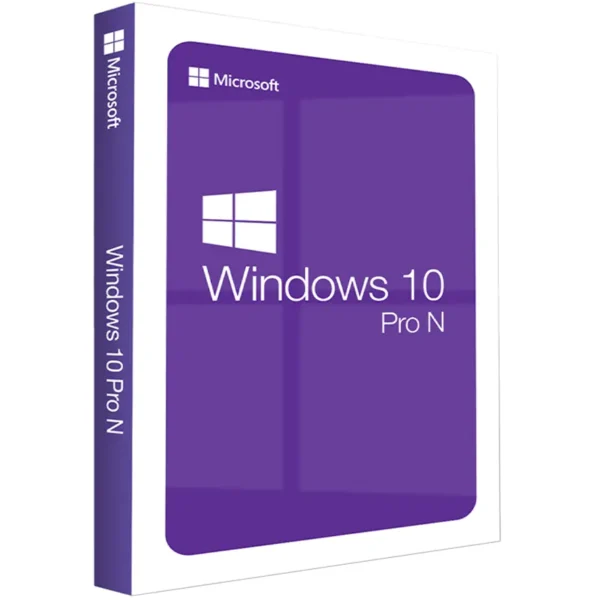












Windows 10 Pro N
We are a certified Microsoft Partners
Digital license key delivered via email, including a step-by-step guide & download link.

Windows 10 Pro N offers the same features as Windows 10 Pro but without media apps like Windows Media Player. Learn the key differences in Windows 10 Pro vs. Pro N to choose the best version for your needs.”
- Safe and secure payment guaranteed
We are a certified Microsoft Partners
Digital license key delivered via email, including a step-by-step guide & download link.
Windows 10 Pro N offers the same features as Windows 10 Pro but without media apps like Windows Media Player. Learn the key differences in Windows 10 Pro vs. Pro N to choose the best version for your needs.”
| Duration |
Lifetime |
|---|---|
| Devices |
1 PC |
| Activation |
Online |
| Warranty |
1 year |
| Brand |
Microsoft |
- Safe and secure payment guaranteed
Reviews
Real reviews from verified buyers to help you make the best choice.
Fast and reliable! Bought a Microsoft Office 2021, and the process was smooth and quick.
Paul Dean, 🇬🇧
Their service is straightforward, and they deliver what they promise. No frills, just good products and responsive support when needed.
Gail Schloss, 🇨🇦
Super expérience avec Licengo ! Achat de logiciel Microsoft et clé de licence reçue instantanément. Service et support excellents. Je recommande vivement !
Henry tKint, 🇧🇪
Licengo delivers excellent digital products with prompt service and professional communication. Highly reliable partner!
Darrell Carnell, 🇨🇦
I recently purchased Office 2021 Pro Plus from Licengo, and the experience was flawless! The process was quick and simple, and I received my product key within minutes only. Installation was smooth, and the software works perfectly. Great value for money and excellent customer service. Highly recommend!
Sandra, 🇬🇧
Windows 10 Pro N Key
Windows 10 Pro N delivers all the powerful features of the standard Pro version, minus media-related tools like Windows Media Player. This version is ideal for businesses, offering enhanced security through BitLocker, remote access via Remote Desktop, and the capability to run multiple virtual machines using Hyper-V. Additionally, it supports domain joining and allows the creation of private sections in the Microsoft Store for company-specific apps.
Key Features of Windows 10 Pro N
- Advanced Security: Utilize BitLocker to safeguard your data.
- Remote Access: Connect to your PC from anywhere with Remote Desktop.
- Virtualization: Run different operating systems on the same PC using Hyper-V.
- Network Integration: Join domains for streamlined business operations.
- Custom App Store: Set up a private section in the Microsoft Store for your company’s applications.
- User-Friendly Interface: Enjoy a familiar Windows experience with powerful new tools.
Benefits for Professionals
Windows 10 Pro N boosts productivity and security, offering fast boot times and efficient multitasking. It includes essential features like domain join and remote access, ensuring you stay connected and secure. With this version, you can create virtual desktops and access critical business applications, all within a user-friendly environment.
Comparing Windows 10 Pro N with Standard Editions
The “N” editions of Windows 10, including Pro N, are designed for users who need the full power of Windows 10 Pro but without media-related technologies. This streamlined version is perfect for enterprises that do not require Windows Media Player or certain pre-installed apps, providing a focused, professional experience.
Purchase and Activation
To get started with Windows 10 Pro N, purchase a genuine key from our online store. After buying, you’ll receive your key instantly via email, allowing immediate activation. Our store offers various payment methods, ensuring a secure and convenient transaction.
| Duration |
Lifetime |
|---|---|
| Devices |
1 PC |
| Activation |
Online |
| Warranty |
1 year |
| Processor |
1 GHz or faster |
| Memory |
1 GB (32-bit) or 2 GB (64-bit) |
| Hard Disk |
16 GB for 32-bit or 20 GB for 64-bit |
| Graphics Hardware |
DirectX 9 or later |
| Display |
800 x 600 |
| Brand |
Microsoft |
3 reviews for Windows 10 Pro N
Clear filtersShow reviews in all languages (12)
Frequently Asked Questions
How is Windows 10 Pro N different from Windows 10 Pro?
The primary difference is the absence of multimedia features in the “N” edition. Users can still install the Media Feature Pack to gain these functionalities if needed.
Can I install the Media Feature Pack on Windows 10 Pro N?
Yes, the Media Feature Pack is available for download from Microsoft’s website and can be installed to restore multimedia features
Is Windows 10 Pro N suitable for gaming?
Yes, it is suitable for gaming, but certain games or applications that depend on media components may require the Media Feature Pack to function correctly.
Can I upgrade to Windows 11 from Windows 10 Pro N?
Yes, if your device meets the hardware requirements for Windows 11, you can upgrade from Windows 10 Pro N.
Why does Windows 10 Pro N exist?
Windows 10 Pro N was created to comply with European Union antitrust rulings that required Microsoft to offer a version of Windows without bundled media software.
Where can I download Windows 10 Pro N?
You can download it directly from the Microsoft website or purchase it from authorized retailers.
Does Windows 10 Pro N support all apps and drivers?
Yes, it supports most apps and drivers. However, apps that depend on media technologies may require additional components like the Media Feature Pack.
Can I use Windows 10 Pro N in non-EU regions?
Yes, it can be used globally, but its primary market is the European Economic Area (EEA) and Switzerland.
10. How do I install the Media Feature Pack for Windows 10 Pro N?
You can download the Media Feature Pack from the Microsoft website. Once downloaded, follow the installation instructions provided by Microsoft to enable the missing multimedia features.
Option 1: Performing a Clean Installation
Please proceed with this when you are currently using an older Windows version than Windows 10 or a PC without an operating system.
- Download Windows Media Creation Tool: Download the Media Creation Tool directly from Microsoft here.
-
Run the Media Creation Tool:
- Create installation media for another PC.
- Select preferred language.
- Select Edition: Windows 10 (it includes both, Pro and Home).
- Select architecture (64-bit or 32-bit).
- Select the media you want to create (USB flash drive or ISO file to create a DVD).
-
Perform a Clean Installation:
- Boot from the USB flash drive or the DVD you have created.
- Select your language, time, and keyboard preferences.
- Enter the product key provided by us.
- Installation type: Custom: Install Windows only (advanced).
- Remove all partitions and create a new one to install Windows.
- Proceed and perform the installation.
Option 2: Upgrading from Windows 10 Pro to Pro N
Please proceed with this when you are currently using Windows 10 Pro and want to upgrade to Pro N.
- Press the “Windows key” + “R”, type “slui.exe” and hit “Enter”.
-
Enter your Windows 10 Pro N product key: If it’s not accepted, apply the default product key: “VK7JG-NPHTM-C97JM-9MPGT-3V66T”.
If error code “0x800f0805” appears after applying the default product key, please make sure that you have at least 20 GB of free disk space and that Windows is updated to its latest version. If those two points apply to you, it is possible that some important system files are missing. In that case, it is necessary to perform a clean installation (see Option 1).
- Go to “System” – “About” and “Change product key”: Click “Yes” if User Account Control comes up.
- Enter your Windows 10 Pro N product key: Make sure all open applications are closed and your work is saved, then start the upgrade.
- Wait while the upgrade process kicks off: Your computer will be restarted several times throughout this process. The amount of time the upgrade takes will vary between systems. However, it generally only takes 5 to 10 minutes.
Important Note: Before performing any upgrade or clean installation, ensure that you have backed up all important data. Upgrading or reinstalling Windows will overwrite existing data on the disk, potentially resulting in data loss.
Related Products
Windows 11 Professional – Digital License
Windows 11 Home – Digital License
Windows 11 Enterprise – Digital License
How It work
Follow these quick and easy steps to purchase, download, and activate your software hassle-free.
Buy Securely at Licengo.com
Purchase your product safely with SSL encryption at competitive prices.
1.
Receive Your License Key via Email
We will send you the activation key and detailed download instructions to your email.
2.
Download Your Original Software
Easily download your original software using the provided instructions.
3.
Activate Your Lifetime License
Enjoy lifetime access to your software with the license key purchased from Licengo.com.
4.
Competitive Prices
We offer the best prices in the market, get genuine products at discounted prices.
Customer Support
Our human support available to help you resolve any incident as quickly as possible.
We Deliver Instantly
After receiving payment, product are delivered instantly, some products may take a few hours.
Refund Guarantee
If we are not satisfied with the quality or fail to deliver the product, we will refund you.

mel (verified owner) –
good value, key worked perfectly
Store manager admin –
We’re thrilled you enjoyed your experience! Licengo is here to keep delivering quality service.
ian (verified owner) –
Smooth process, from start to finish.
Store manager admin –
We’re delighted you’re satisfied with our service! Licengo will continue to strive for perfection.
gary (verified owner) –
Super fast delivery and everything worked as expected.
Store manager admin –
We’re thrilled you enjoyed your experience! Licengo is here to keep delivering quality service.